Layout and Subplots
Multiple plots can be added to a single drawing using layouts.
LayoutH
Arrange the contents horizontally.
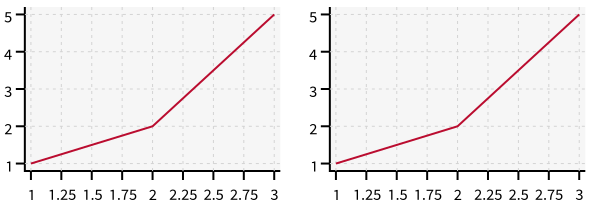
with zp.LayoutH().size(400, 200):
    zp.Plot([1,3,5], [1,2,5]).marker('round')
    zp.Plot([1,3,5], [1,2,5]).marker('square')
Note
Use column_gap to specify the pixel separation between columns.
LayoutV
Arrange the contents vertically.
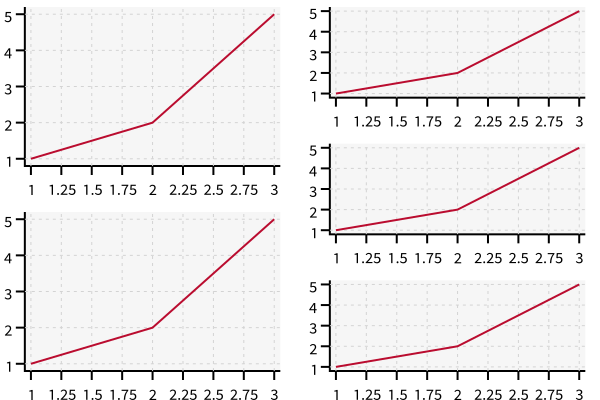
with zp.LayoutV().size(200, 400):
    zp.Plot([1,3,5], [1,2,5]).marker('round')
    zp.Plot([1,3,5], [1,2,5]).marker('square')
Note
Use row_gap to specify the pixel separation between rows.
GridLayout
Arrange contents in a regular grid of rows and columns.
Note
Specify the number of columns. The rows are added as needed.
with zp.LayoutGrid(columns=2):
    zp.Plot([1,2,3], [1,2,5])
    zp.Plot([1,2,3], [1,2,5]).color('blue')
    zp.Plot([1,2,3], [1,2,5]).color('green')
    zp.Plot([1,2,3], [1,2,5]).color('orange')
Tip
Use .span on contents to set the column and row span for items to span multiple grid cells.
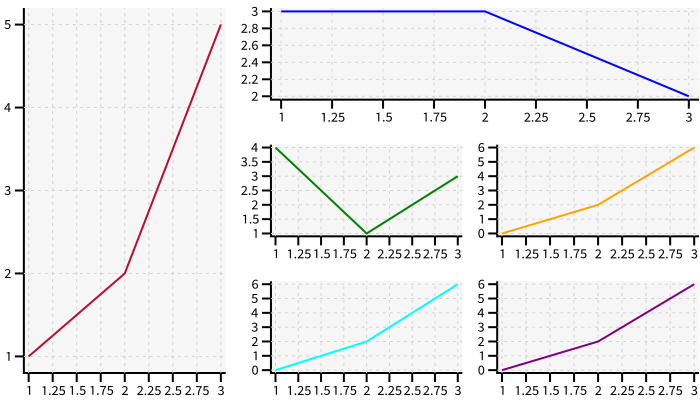
with zp.LayoutGrid(columns=3).size(700, 400):
    zp.Plot([1,2,3], [1,2,5]).span(3)
    zp.Plot([1,2,3], [3,3,2]).color('blue').span(1, 2)
    zp.Plot([1,2,3], [4,1,3]).color('green')
    zp.Plot([1,2,3], [0,2,6]).color('orange')
    zp.Plot([1,2,3], [0,2,6]).color('cyan')
    zp.Plot([1,2,3], [0,2,6]).color('purple')
Tip
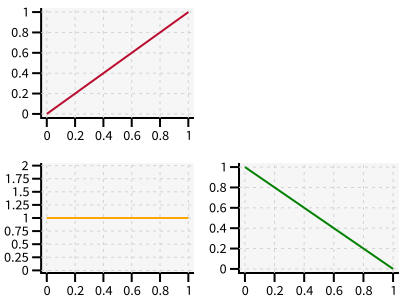
Use ziaplot.layout.LayoutEmpty to leave an empty spot in a layout.
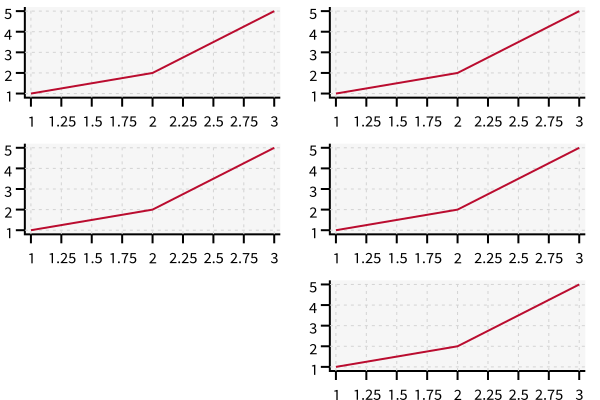
with zp.LayoutGrid(columns=2):
    zp.Plot([0, 1], [0, 1])
    zp.LayoutEmpty()
    zp.Plot([0, 1], [1, 1]).color('orange')
    zp.Plot([0, 1], [1, 0]).color('green')
Uneven row/column spacing
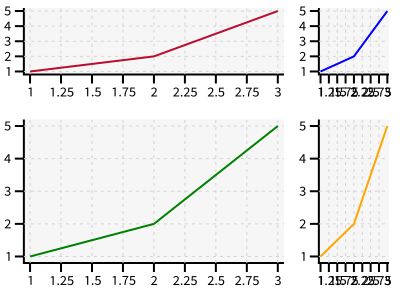
Default LayoutGrids generate equal size columns and rows. Use column_widths and row_heights parameters with a string specifying the relative sizes for rows and columns.
The string is space-delimited with each item either
a plain number representing the number of pixels
a percent of the whole width
a number with “fr” suffix representing fractions of the whole
Examples:
“25% 1fr”: First column takes 25%, second column the remainder
“200 1fr”: First column takes 200 pixels, second column the remainder
“2fr 1fr”: First column is twice the width of second
with zp.LayoutGrid(columns=2, column_widths='3fr 1fr', row_heights='35% 1fr'):
    zp.Plot([1,2,3], [1,2,5])
    zp.Plot([1,2,3], [1,2,5]).color('blue')
    zp.Plot([1,2,3], [1,2,5]).color('green')
    zp.Plot([1,2,3], [1,2,5]).color('orange')
Matching Ranges
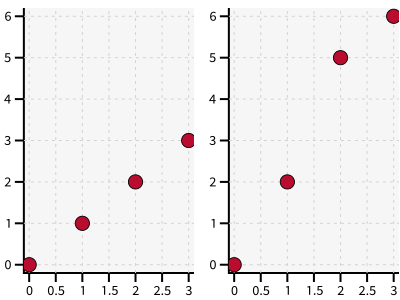
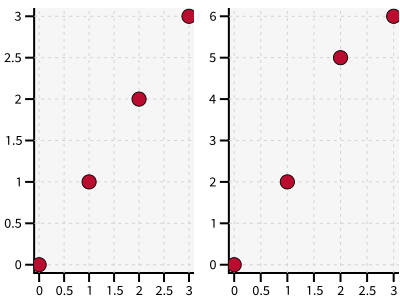
Side-by-side plots in a layout often should have the same range of data so they may be easily compared. This example shows two Graphs with different data scales.
x = [0, 1, 2, 3]
y = [0, 1, 2, 3]
y2 = [0, 2, 5, 6]

with zp.LayoutH():
    with zp.Graph():
        zp.Scatter(x, y)
    with zp.Graph():
        zp.Scatter(x, y2)
One could manually set data ranges on the graphs, but the match_x() and match_y() methods automatically set the range of the graph equal to the range of another graph.
with zp.LayoutH():
    with zp.Graph() as g1:
        zp.Scatter(x, y)
    with zp.Graph() as g2:
        zp.Scatter(x, y2)
    g1.match_y(g2)