Discrete Data
Discrete data is plotted from arrays of x values and y values.
All discrete data element classes share these styling methods:
color
stroke
strokewidth
marker
For more complete styling options, see Styling.
PolyLine
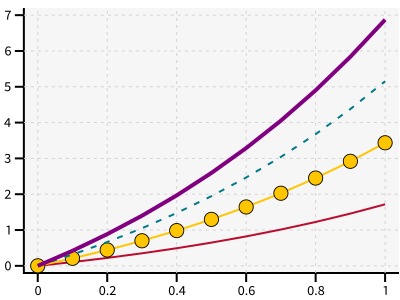
Connects the (x, y) pairs with line segments.
x = [i*0.1 for i in range(11)]
y = [math.exp(xi)-1 for xi in x]
y2 = [yi*2 for yi in y]
y3 = [yi*3 for yi in y]
y4 = [yi*4 for yi in y]
with zp.Graph():
    zp.PolyLine(x, y)
    zp.PolyLine(x, y2).marker('round', radius=8)
    zp.PolyLine(x, y3).stroke('dashed')
    zp.PolyLine(x, y4).color('purple').strokewidth(4)
ziaplot.discrete.polylines.PolyLine
Alias: Plot
Tip
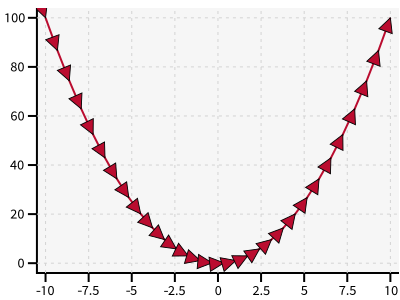
Use orient=True in .marker() to point the markers in the direction of the line.
t = zp.linspace(-10, 10, 30)
tsq = [ti**2 for ti in t]

with zp.Graph():
    zp.PolyLine(t, tsq).marker('arrow', orient=True)
Scatter
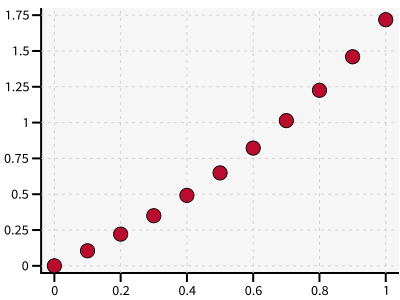
Plots the (x, y) pairs as markers without connecting lines.
with zp.Graph():
    zp.Scatter(x, y)
ziaplot.discrete.polylines.Scatter
Alias: Xy
ErrorBar
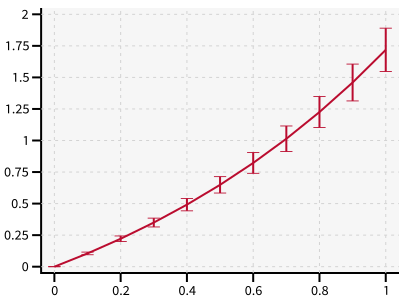
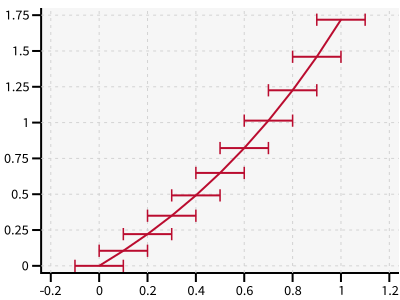
A PolyLine with optional error bars in x and y.
yerr = [yy/10 for yy in y]
zp.ErrorBar(x, y, yerr=yerr)
xerr = [.1] * len(x)
zp.ErrorBar(x, y, xerr=xerr)
LineFill
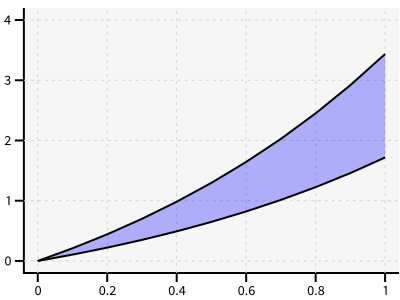
Fill the region between two y values.
zp.LineFill(x, ymin=y, ymax=y2).color('black').fill('blue 30%')
Histogram
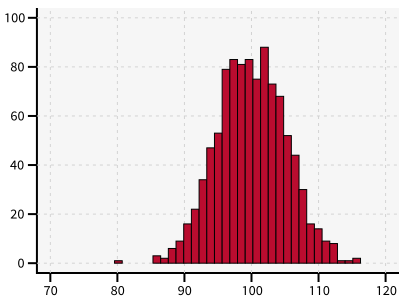
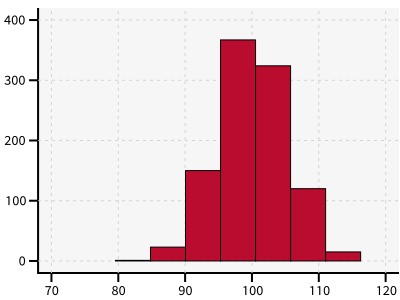
Draws the histogram of a set of values.
import random
v = [random.normalvariate(100, 5) for k in range(1000)]
zp.Histogram(v)
HistogramHoriz
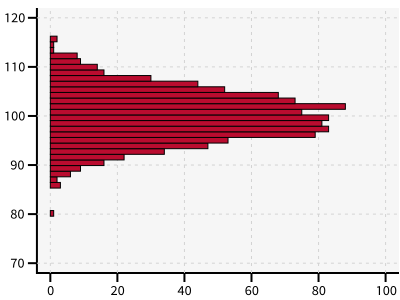
Histogram with the bars oriented horizontally.
zp.HistogramHoriz(v)
ziaplot.discrete.bars.HistogramHoriz
Note
Use bins to set the number of bins in the histogram.
zp.Histogram(v, bins=7)
LinePolar
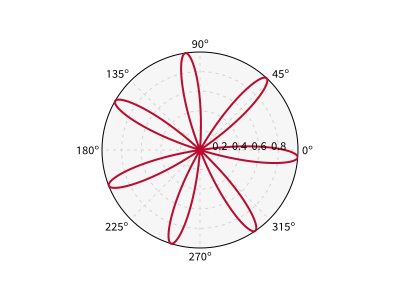
Define a PolyLine using radius and angle (r, θ) polar coordinates. θ may be specified in radians or degrees.
th = zp.linspace(0, 2*math.pi, 500)
r = [math.cos(7*t+math.pi/6) for t in th]

with zp.GraphPolar():
    zp.LinePolar(r, th, deg=False)
Contour
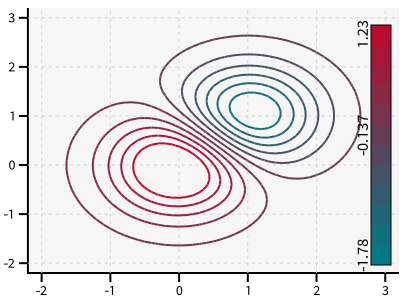
Countour plots are of 2-dimensional data. x and y are one-dimensional lists of values. z is a 2-dimensional (list of lists) array of height values.
x = y = zp.util.zrange(-2., 3., .1)
z = [[2 * (math.exp(-xx**2 - yy**2) - math.exp(-(xx-1)**2 - (yy-1)**2)) for xx in x] for yy in y]

with zp.Graph().size(400,300):
    p = zp.Contour(x, y, z, levels=12, colorbar='right')
ziaplot.discrete.contour.Contour
Note
Use the colorcycle CSS attribute to set the colors. If two colors are provided, they fill fade evenly from the first to the second. Otherwise the contour levels will step through the list.
Hint
The data for the above contour plot may be genereated more efficiently using Numpy (below), but Numpy is not a required dependency of ziaplot so it is not used in this documentation. The Contour algorithm will use Numpy for efficiency if it is installed.
delta = 0.1
x = np.arange(-2.0, 3.0, delta)
y = np.arange(-2.0, 3.0, delta)
X, Y = np.meshgrid(x, y)
Z1 = np.exp(-X**2 - Y**2)
Z2 = np.exp(-(X - 1)**2 - (Y - 1)**2)
Z = (Z1 - Z2) * 2

with zp.Graph().size(400,300):
    p = zp.Contour(x, y, Z, levels=12, colorbar='right')