Diagrams and Graphs
All Ziaplot drawings start on an Diagram instance on which to draw. A Diagram is an empty drawing surface, while a Graph is a diagram with axis lines added.
All diagram types may be used as a context manager (using a with statement), where the elements instantiated inside the context manager are added to the diagram. Alternatively, diagrams may be created and assigned to a variable, with elements added to the diagram using the += operator. The following:
with zp.Graph():
    zp.Point((0, 0))
is equivalent to:
p = zp.Graph()
p += zp.Point((0, 0))
Diagram
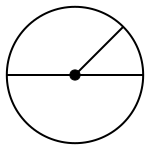
For geometric drawings, ziaplot.diagrams.diagram.Diagram provides a drawing
surface without any axis lines, tick marks, etc. The below circle, with its diameter and radius,
was drawn on a Diagram.
Graph Types
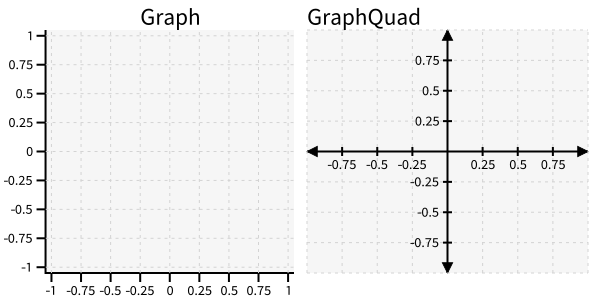
Graphs build on diagrams by adding axes and grid lines.
The two most common Graph types are
ziaplot.diagrams.graph.Graph, which draws the x and y axes lines along the bottom and
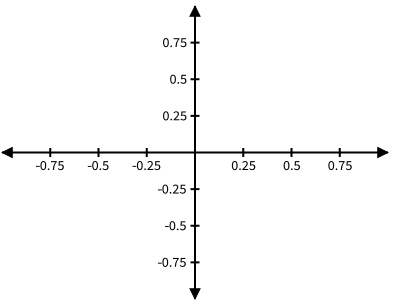
left sides of the frame, and ziaplot.diagrams.graph.GraphQuad, which draws the x and y axis
lines through the (0, 0) origin and includes arrowheads at the end of the axis lines.
To keep the origin centered within a GraphQuad, use ziaplot.diagrams.graph.GraphQuadCentered.
Graph Properties
Titles and Labels
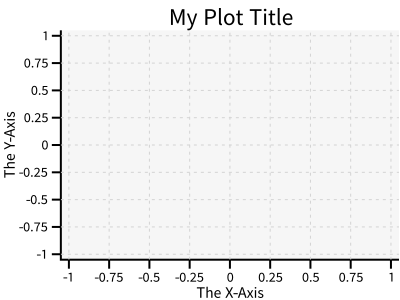
When Graphs are created, a title and captions for the x and y axis are specified
using their respective methods, ziaplot.diagrams.diagram.Diagram.title() and
ziaplot.diagrams.graph.Graph.axesnames().
zp.Graph().title('My Plot Title').axesnames('The X-Axis', 'The Y-Axis')
Size
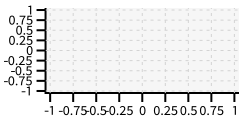
The pixel size of Diagrams is set using ziaplot.diagrams.diagram.Diagram.size():
zp.Graph().size(240, 120)
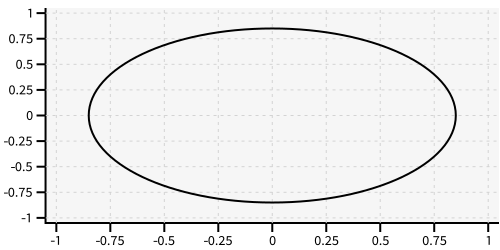
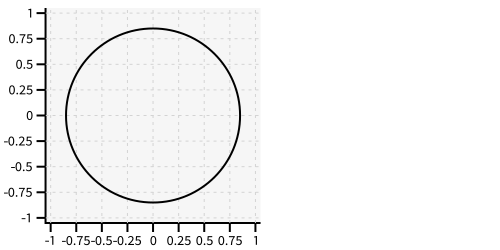
Use ziaplot.diagrams.diagram.Diagram.equal_aspect() to force the x- and y-
scales to be equal, such that circles are drawn as circles and not ellipses.
with zp.Graph().size(500, 250):  # No equal aspect
    zp.Circle((0, 0), .85)
with zp.Graph().size(500, 250).equal_aspect():
    zp.Circle((0, 0), .85)
Data Range and Ticks
By default, the diagrams are scaled to show all the elements added to it.
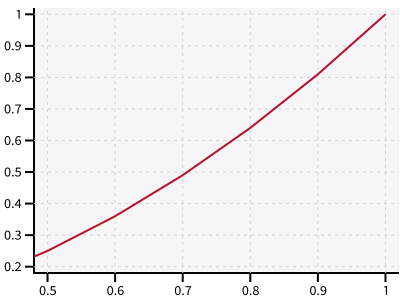
To manually set the data range, use ziaplot.diagrams.diagram.Diagram.xrange()
and ziaplot.diagrams.diagram.Diagram.yrange() to set the lower and upper endpoints
of the range to display. Note the range may sometimes stretch a little beyond the
entered range to accommodate well-spaced tick marks.
x = [i*0.1 for i in range(11)]
y = [xi**2 for xi in x]

with zp.Graph().xrange(.5, 1).yrange(.3, 1):
    zp.PolyLine(x, y)
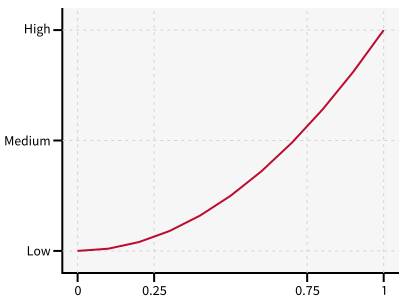
Tick locations are also automatically determined. To override, call
ziaplot.diagrams.graph.Graph.xticks() or ziaplot.diagrams.graph.Graph.yticks(),
providing a tuple of tick values and optional names.
with (zp.Graph()
        .xticks((0, .25, .75, 1))
        .yticks((0, .5, 1), names=('Low', 'Medium', 'High'))):
    zp.PolyLine(x, y)
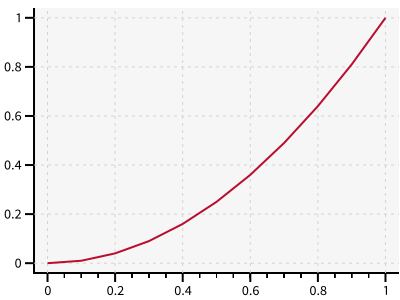
Minor ticks, without a number label, can also be added between the major ticks.
with (zp.Graph()
        .xticks(values=(0, .2, .4, .6, .8, 1),
                minor=(zp.linspace(0, 1, 21)))):
    zp.PolyLine(x, y)
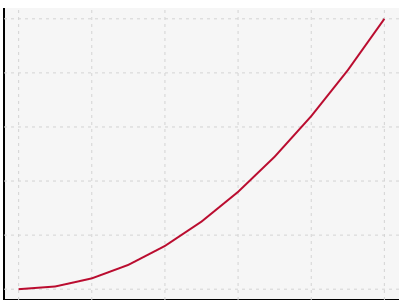
Ticks may be removed completely with ziaplot.diagrams.graph.Graph.noxticks()
and ziaplot.diagrams.graph.Graph.noyticks()
with zp.Graph().noxticks().noyticks():
    zp.PolyLine(x, y)
Ticker
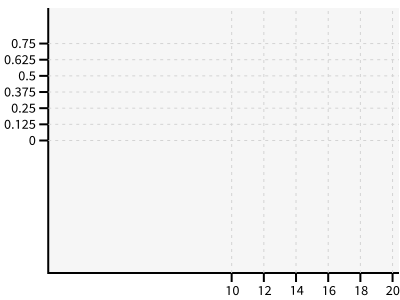
ziaplot.diagrams.ticker._Ticker provides shortcut to making a range of tick
marks using Python slicing notation. zp.ticker[10:20:2] provides ticks
starting at 10, ending at 20, with increments of 2:
zp.Graph().xticks(zp.ticker[10:20:2]).yticks(zp.ticker[0:.75:.125])
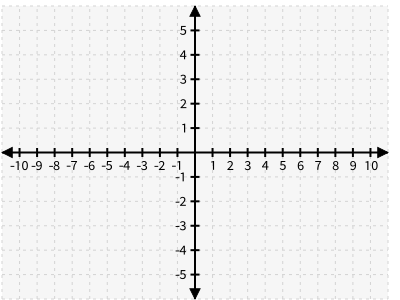
Note that GraphQuad removes the tick labels on the very edges of the graph so they don’t overlap with the axis arrows. It may be necessary to increase the ticker range to show all the labels that are desired, for example, to show labels for ticks from -10 to 10, use a ticker range up to 11:
zp.GraphQuad().xticks(zp.ticker[-11:11:1]).yticks(zp.ticker[-6:6:1])
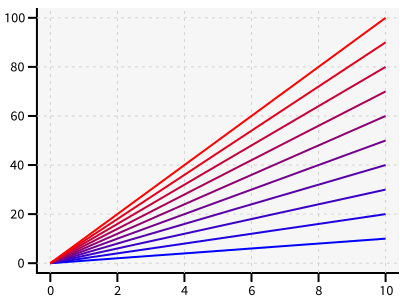
Color Fading
Sometimes it is useful for a set of lines to evenly fade between two colors.
This can be accomplishsed using the ziaplot.diagrams.diagram.Diagram.colorfade() method.
Color fading requires hex string colors.
xf = zp.linspace(0, 10, 10)
with zp.Graph().colorfade('#0000FF', '#FF0000'):
    for i in range(10):
        yf = [xi*(i+1) for xi in xf]
        zp.PolyLine(xf, yf)
Annotations
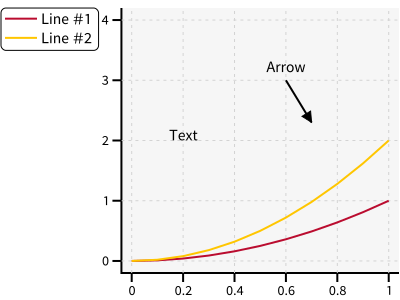
Plain text labels may be added at any (x, y) location using ziaplot.annotations.text.Text.
ziaplot.annotations.annotations.Arrow draws an arrow with optional text at the tail.
The legend is displayed when one or more elements in the diagram is given a name with the .name() method.
y2 = [yy*2 for yy in y]

with zp.Graph().yrange(0, 4):
    zp.PolyLine(x, y).name('Line #1')
    zp.PolyLine(x, y2).name('Line #2')
    zp.Text(0.2, 2, 'Text', halign='center')
    zp.Arrow((.70, 2.3), (.6, 3)).label('Arrow', 'N').color('black')
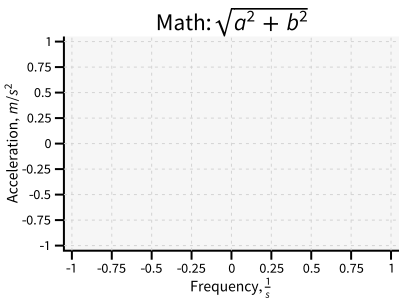
If ziamath is installed, math expressions can be drawn in any label. The expressions are entered in Latex style delimited by $..$.
(zp.Graph()
    .title(r'Math: $\sqrt{a^2 + b^2}$')
    .axesnames(r'Frequency, $\frac{1}{s}$', r'Acceleration, $m/s^2$'))
Tip
Legend location is specified using ziaplot.diagrams.diagram.Diagram.legend().
Options include ‘left’, ‘right (both outside the data area), or
‘topleft’, ‘topright’, ‘bottomleft’, ‘bottomright’ (inside the data area)
Use ‘none’ to turn off the legend.
Log Scale Graphs
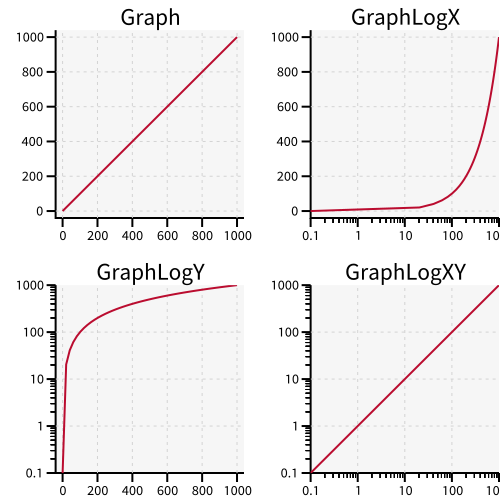
Data can be plotted on logarithmic scales using ziaplot.diagrams.graphlog.GraphLogY,
ziaplot.diagrams.graphlog.GraphLogX, and ziaplot.diagrams.graphlog.GraphLogXY.
Number Line Graphs
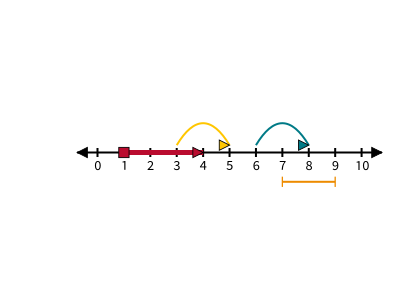
A Number Line is a one-dimensional graph.
However, it is not drawn as truly one-dimensional so that lines and other
shapes may be drawn above or below the axis.
ziaplot.diagrams.oned.NumberLine works similarly to a GraphQuad
but does not show a y-axis.
with zp.NumberLine().xticks(zp.ticker[-1:11:1]).yrange(-1, 1):
    zp.Segment((1,0), (4,0)).endmarkers('s', '>').strokewidth(5)
    zp.Curve((3,.05), (5,.05)).endmarkers('', '>')
    zp.Curve((6,.05), (8,.05)).endmarkers('', '>')
    zp.Segment((7,-.2), (9,-.2)).endmarkers('|', '|')
Polar and Smith Graphs
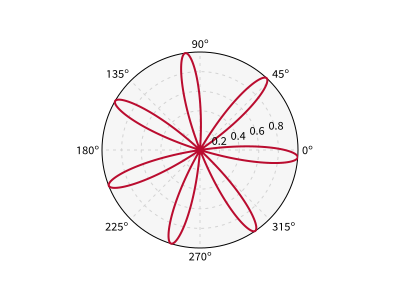
Plots in polar coordinates are drawn on ziaplot.diagrams.polar.GraphPolar diagrams.
While a ziaplot.discrete.polylines.PolyLine can be drawn on a polar axis,
the x and y values are Cartesian.
To add a line in polar (radius and angle) form, use the ziaplot.discrete.polar.LinePolar series, which can take angles in degrees or radians.
The labeltheta parameter (in degrees) can be useful to align the radius/magnitude tick labels so they don’t get hidden by data.
th = zp.linspace(0, 2*math.pi, 500)
r = [math.cos(7*t+math.pi/6) for t in th]

with zp.GraphPolar(labeldeg=True, labeltheta=15):
    zp.LinePolar(r, th)
Tip
To set data ranges to display on a polar graph,
use ziaplot.diagrams.polar.GraphPolar.rrange()
and ziaplot.diagrams.polar.GraphPolar.yrange().
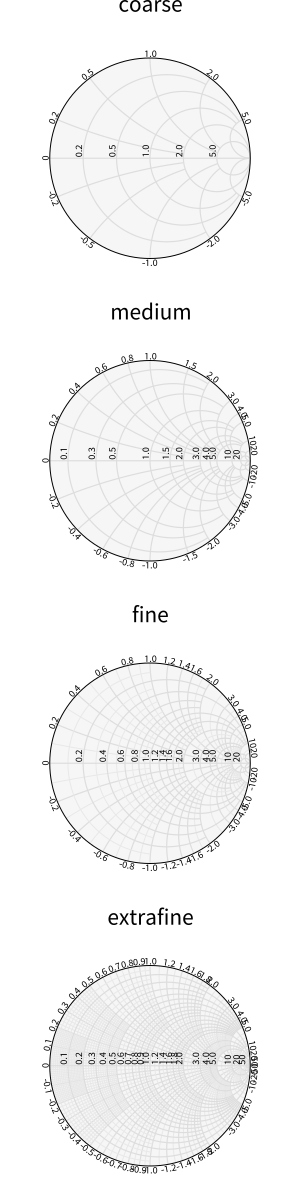
Normalized Smith Charts are created using ziaplot.diagrams.smith.GraphSmith.
The grid density is changed using the grid argument.
Discrete data may be plotted on Smith charts using either ziaplot.discrete.polylines.PolyLine or ziaplot.discrete.polar.LinePolar, depending on the data format.
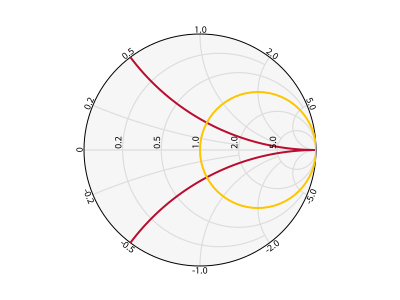
Alternatively, curves of constant resistance and constant reactance may be drawn with ziaplot.diagrams.smith.SmithConstResistance and ziaplot.diagrams.smith.SmithConstReactance.
with zp.GraphSmith(grid='coarse'):
    zp.SmithConstReactance(0.5)
    zp.SmithConstResistance(1)
Styling
Some preset CSS definitions are available for common style changes. To remove the gray background from an axis, set the CSS with zp.CSS_NOBACKGROUND. To remove the grid lines, use zp.CSS_NOGRID. These are simply strings containing CSS, so they may be added together:
zp.GraphQuad().css(zp.CSS_NOBACKGROUND+zp.CSS_NOGRID)
Styling has a full list of CSS styles that may be applied to Graphs and their contents.