Charts (Pie and Bar)
The term “chart” is used for diagrams where the x value is qualitative. This includes Pie charts and bar charts.
BarChart
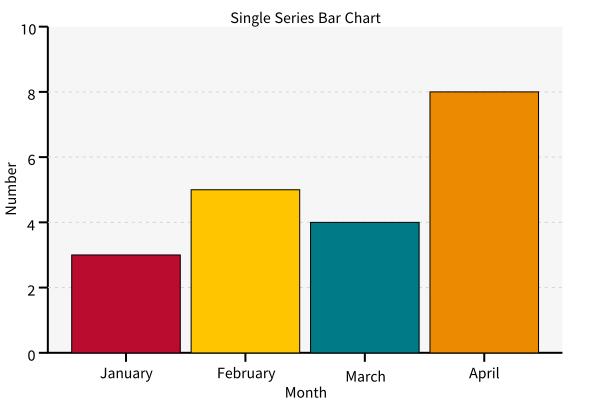
A bar chart. The Diagram is ziaplot.charts.bar.BarChart, with
ziaplot.charts.bar.Bar instances added to it:
with zp.BarChart().axesnames('Month', 'Number').title('Single Series Bar Chart'):
    zp.Bar(3).name('January')
    zp.Bar(5).name('February')
    zp.Bar(4).name('March')
    zp.Bar(8).name('April')
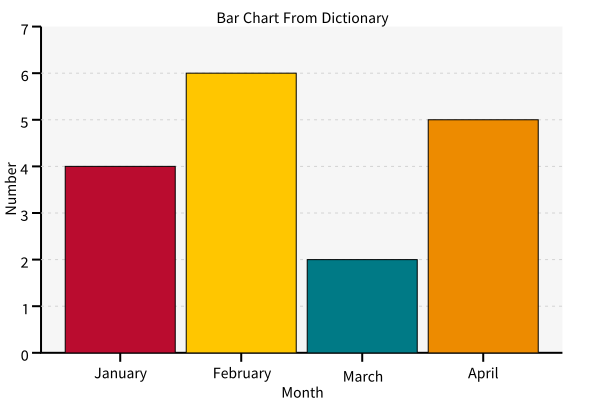
Or the fromdict class method creates the chart from a dictionary.
items = {'January': 4,
         'February': 6,
         'March': 2,
         'April': 5}
zp.BarChart.fromdict(items).axesnames('Month', 'Number').title('Bar Chart From Dictionary')
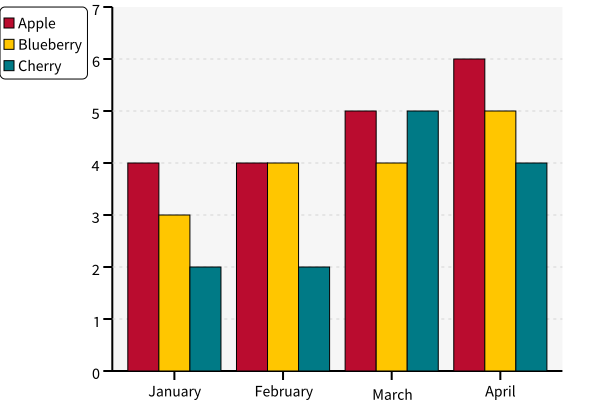
BarChartGrouped
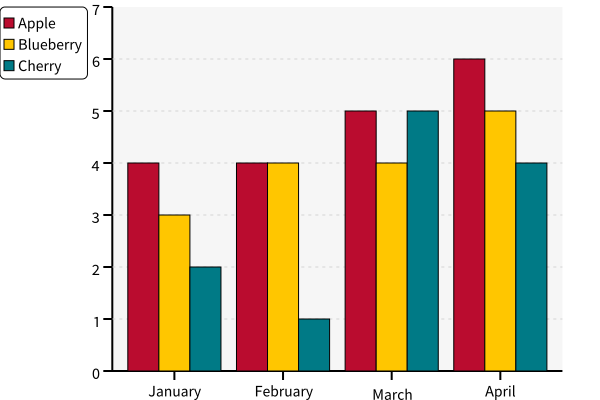
A bar chart with multiple bars at each x value. The same-colored bars form a group or “series”.
with zp.BarChartGrouped(groups=['January', 'February', 'March', 'April']):
    zp.BarSeries(4, 4, 5, 6).name('Apple')
    zp.BarSeries(3, 4, 4, 5).name('Blueberry')
    zp.BarSeries(2, 1, 5, 4).name('Cherry')
ziaplot.charts.bar.BarChartGrouped
ziaplot.charts.bar.BarSeries
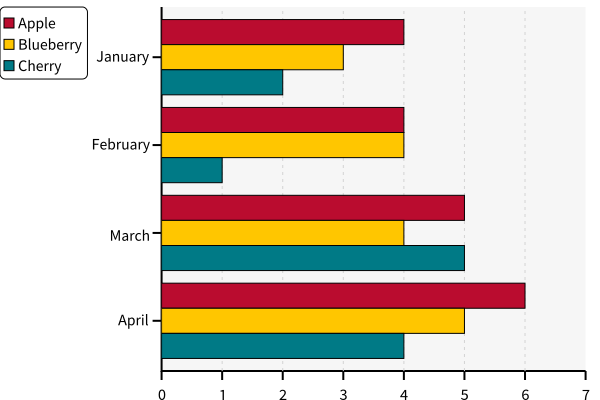
BarChartGroupedHoriz
A grouped bar chart with horizontal bars.
with zp.BarChartGroupedHoriz(groups=['January', 'February', 'March', 'April']):
    zp.BarSeries(4, 4, 5, 6).name('Apple')
    zp.BarSeries(3, 4, 4, 5).name('Blueberry')
    zp.BarSeries(2, 1, 5, 4).name('Cherry')
Pie
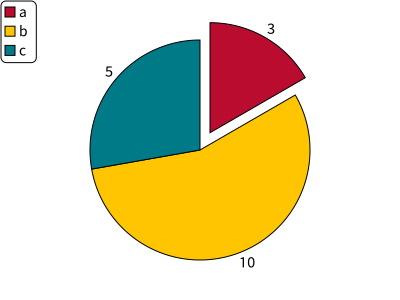
A pie chart. The Diagram is ziaplot.charts.pie.Pie, with ziaplot.charts.pie.PieSlice added to it.
with zp.Pie():
    zp.PieSlice(3).name('a')
    zp.PieSlice(10).name('b')
    zp.PieSlice(5).name('c')
Note
The slice values are normalized so the pie will always fill to 100%.
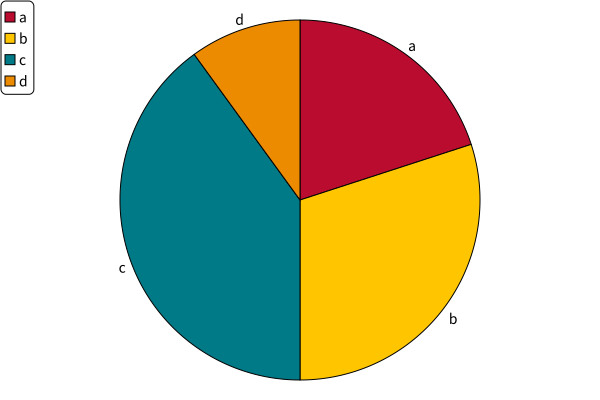
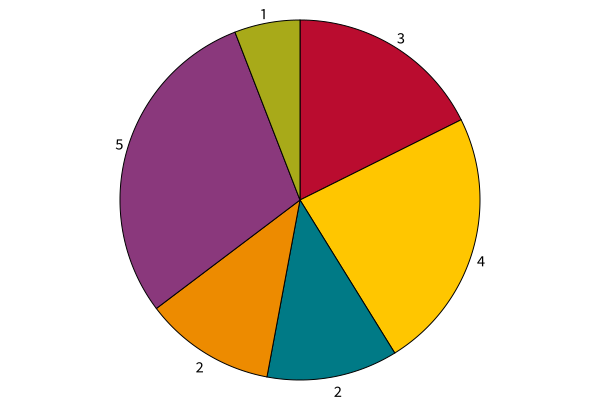
Pie Charts may also be made from dictionaries or from lists.
zp.Pie().fromdict({'a': 20, 'b': 30, 'c': 40, 'd': 10})
zp.Pie().fromlist((3, 4, 2, 2, 5, 1))
Tip
Use the labelmode parameter to change the label displayed outside each slice. Options are name, value, percent, or none.
with zp.Pie(labelmode='percent'):
    zp.PieSlice(3).name('a')
    zp.PieSlice(10).name('b')
    zp.PieSlice(5).name('c')
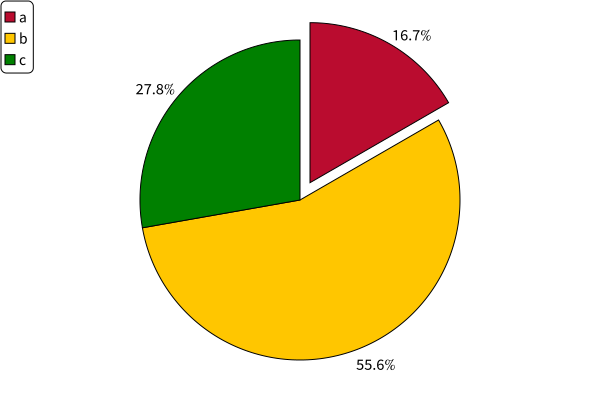
Tip
Use .extrude() to pull a slice away from the center of the pie.
with zp.Pie(labelmode='value'):
    zp.PieSlice(3).name('a').extrude()
    zp.PieSlice(10).name('b')
    zp.PieSlice(5).name('c')